Free YouTube Thumbnail Text Generator
Generate compelling, attention-grabbing text for your YouTube thumbnails. Create short, punchy phrases that drive clicks with AI.
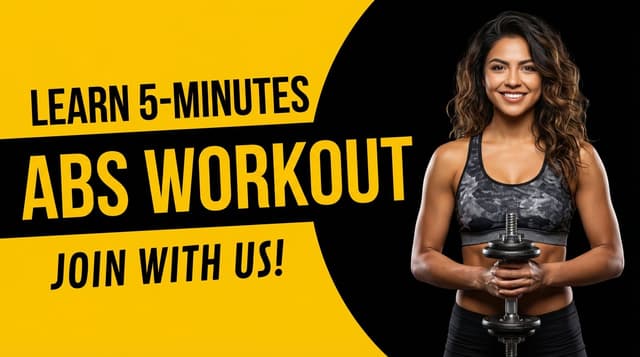

Free AI Thumbnail Text Generator and Professional Thumbnail Maker
Thumbnail text can make or break your click-through rate. The right words grab attention and create curiosity. ThumbnailMakerr's free AI text generator creates short, punchy phrases optimized for thumbnail visibility and impact.
Enter your video topic and our AI generates multiple text options—from bold statements to intriguing questions. Each phrase is designed to be readable at small sizes while creating maximum curiosity and urgency.
Great text needs great design. After generating your thumbnail text, use our professional thumbnail maker to create stunning visuals. Add your text to custom designs with perfect typography, colors, and layouts that drive clicks.
Design custom thumbnails with bold fonts, vibrant backgrounds, and professional layouts. Use our free thumbnail generator to create consistent branding across all your videos. Perfect for all content types—tutorials, vlogs, reviews, and more.
Complete thumbnail creation toolkit. ThumbnailMakerr combines AI text generation with professional design tools, giving you everything needed to create click-worthy thumbnails. Start designing today—completely free.
Best Practices for Thumbnail Text
- Keep It Short: 2-5 words maximum. Viewers should read it in under 2 seconds.
- Use Large Fonts: Text must be readable on mobile devices and small screens.
- High Contrast: Ensure text stands out from the background with strong contrast.
- Create Curiosity: Use questions or incomplete statements that make viewers want to click.
- Numbers Work: Include numbers when relevant (5 Tips, 10 Ways, etc.).
- Avoid Clutter: Less is more. Don't overcrowd your thumbnail with text.
Frequently Asked Questions
How much text should I put on a thumbnail?
Keep it minimal—2-5 words is ideal. The text should complement your image, not overwhelm it. Focus on one key message or hook.
What font size should I use?
Use large, bold fonts that remain readable when the thumbnail is small. Test your thumbnail at actual size to ensure text is legible.
Is the thumbnail text generator free?
Yes! Our YouTube thumbnail text generator is completely free with unlimited use. Generate as many text options as you need.
Should every thumbnail have text?
Not necessarily, but text often improves click-through rates by adding context and creating curiosity. Test both approaches to see what works for your audience.
What colors work best for thumbnail text?
Use high-contrast colors that stand out. White text with dark outlines, or bold colors like yellow, red, and orange tend to grab attention effectively.
Can I use emojis in thumbnail text?
Yes! Emojis can add visual interest and emotion. Use them sparingly and ensure they're large enough to be visible at thumbnail size.